&w=3840&q=75)
I keep watching agents try to answer a simple Virgin Media-shaped question the hard way.
"What broadband can I get at this address?"
They scrape a product grid. They guess packages. They click around like a tired intern who skipped the postcode checker. Then they invent something that looks plausible and is wrong, because the catalogue is gated on where you live. Postcode, then address, then deals. That is public UX, not a secret. Ofcom's checker works the same way. Street to street, premise to premise.
If the agent never runs get_addresses and get_availability, it is not shopping. It is cosplaying.
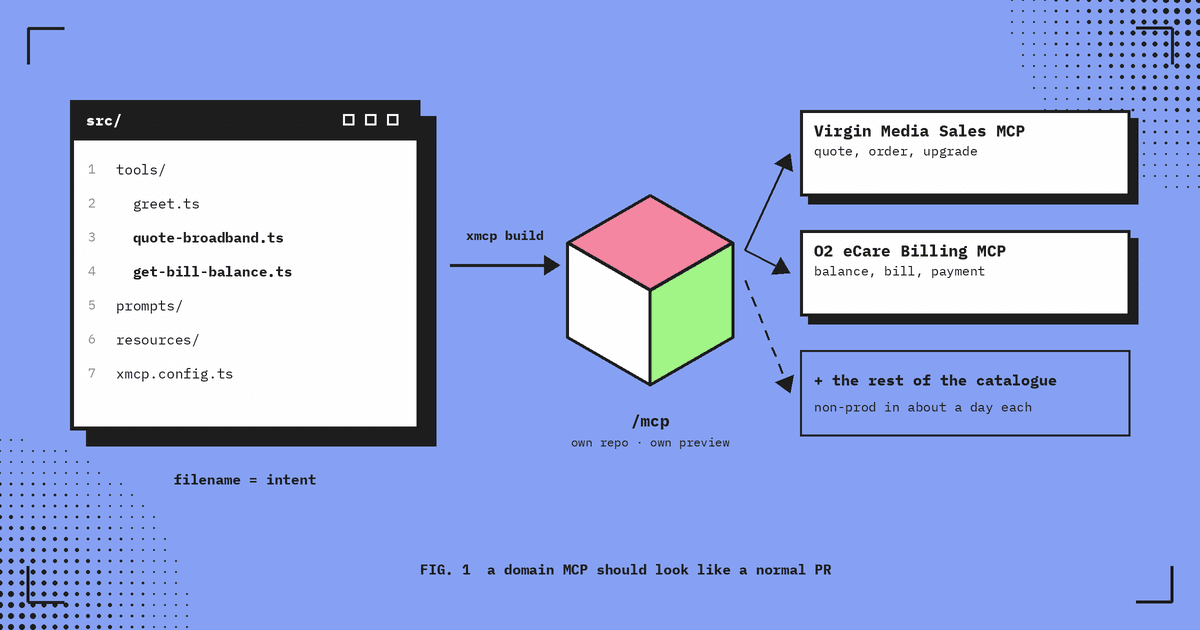
I've written about xmcp as the file-based way to ship domain MCPs. That still matters when the MCP is its own product. This piece is the sibling problem: the customer is already on your site, and the agent is already in the tab. You should not need them to install anything into Claude or ChatGPT first.
And they won't. Not for a one-off "check broadband at this address" journey, and not just because they want to purchase either. People do not go to the App Store and download an app for a one-off sale. The barrier here is higher: there is not even an app store for MCP.
Most people will never install your MCP into Claude or ChatGPT. WebMCP lets agents discover and call your site's tools while they're already on the page. mcp-handler 2.2.0 (18 Sep 2026) bridges an existing Next.js MCP route into that world with an allowlist and a script tag. Discovery here means on the site, after the visit. Not a search engine for every MCP on the open web.
Confession
I've seen many an agent lean on third-party price comparison sites instead of the Virgin Media site, because those sites advertise the products first and only later worry about whether it's actually available. That's because the agent didn't have get_addresses, get_availability, and create_basket to run our serviceability process.
Classic MCP is powerful. Install is the burden.
An MCP on a remote HTTP endpoint is still a solid pattern for agents that live in a harness you control. Keep building those. Just stop pretending that same install overhead is how a casual visitor finishes a postcode check on virginmedia.com.
Yes, ship an MCP for Cursor, Claude Desktop, or a ChatGPT connector your admin has approved, when that is the job. If someone is already mid-journey on the site, put the tools on that origin instead of asking them to install anything.
WebMCP: tools on the page you already opened
WebMCP is a proposed web platform API from the W3C Web Machine Learning Community Group. Draft Community Group Report, not a W3C Standard, not Standards Track. Chrome has docs and an origin trial from Chrome 149, plus a local flag. Treat it as early, not boringly settled.
The idea is simple enough that I like it. The page registers structured tools (name, description, JSON Schema inputs, execute). An agent that can see the browsing context calls those tools instead of reverse-engineering the DOM. Same primitives as MCP, living in client-side script on the origin the human is looking at.
For a GEO-gated catalogue, that is the difference between "guess the broadband grid" and calling get_addresses, then get_availability, then create_basket. The agent still has to be on the site. That sounds like a limitation until you remember the whole point is tools for someone who already opened the page.
I'm not claiming Virgin Media O2 has shipped WebMCP. It is on an innovation roadmap to investigate, though, and it is certainly where my head is going for this kind of tech. Opinions mine. No internal systems in this post.
mcp-handler will bridge the route you already have
On 18 Sep 2026, mcp-handler shipped the experimental WebMCP bridge in 2.1.2 and promoted it in 2.2.0 the same evening. There isn't a dedicated Vercel.com changelog page for it that I can find. GitHub releases and npm are the source. Package docs live in docs/WEBMCP.md. Still labeled experimental.
What it does, in ordinary words: you keep createMcpHandler on something like /api/mcp. You allowlist which tools the in-page bridge may register. You drop a script tag on the journey page. The script lists tools, registers the allowlisted ones with the page's WebMCP provider, and forwards execute to MCP tools/call over fetch. If the browser has no WebMCP provider, it no-ops. Remote MCP clients on the same endpoint still see what they saw before. The allowlist only gates the in-page surface.
Docs also note that those fetches can run as the signed-in page user (cookies), without a separate browser-side OAuth dance for that path. That is a WebMCP bridge detail from WEBMCP.md, not a claim that every classic MCP somehow inherits your browser tab. Read the hardening notes before you allowlist anything consequential.
Illustrative pattern (not a real VMO2 API)
Labeled illustrative on purpose. Same shape as the package docs, with three broadband-shaped business intents: resolve an address, get availability, then create a basket for checkout handoff.
// ILLUSTRATIVE ONLY: pattern from mcp-handler docs, not a real VMO2 API
import { createMcpHandler } from "mcp-handler";
import { z } from "zod";

const handler = createMcpHandler(
  (server) => {
    server.registerTool(
      "get_addresses",
      {
        title: "Get addresses",
        description:
          "Given a UK postcode, return the official addresses and address ids for that postcode. Call this before availability.",
        inputSchema: z.object({
          postcode: z.string().min(2),
        }),
      },
      async ({ postcode }) => {
        const result = await lookupAddresses({ postcode });
        return {
          content: [{ type: "text", text: JSON.stringify(result) }],
        };
      },
    );

    server.registerTool(
      "get_availability",
      {
        title: "Get availability",
        description:
          "Given an official address id, return the products available at that premise. Call this instead of scraping a catalogue or a comparison site.",
        inputSchema: z.object({
          addressId: z.string().min(1),
        }),
      },
      async ({ addressId }) => {
        const result = await lookupAvailability({ addressId });
        return {
          content: [{ type: "text", text: JSON.stringify(result) }],
        };
      },
    );

    server.registerTool(
      "create_basket",
      {
        title: "Create basket",
        description:
          "Create a basket for a chosen product at an address id, so the human can be handed into checkout.",
        inputSchema: z.object({
          addressId: z.string().min(1),
          productId: z.string().min(1),
        }),
      },
      async ({ addressId, productId }) => {
        const result = await createBasket({ addressId, productId });
        return {
          content: [{ type: "text", text: JSON.stringify(result) }],
        };
      },
    );
  },
  {
    experimental_webMcp: {
      tools: ["get_addresses", "get_availability", "create_basket"],
    },
  },
);

export { handler as GET, handler as POST };<script src="/api/mcp?webmcp-script" async></script>That is the whole bridge surface most teams will touch: allowlist plus script. Keep get_addresses and get_availability read-only. Treat create_basket like a same-site form post: consequential, allowlisted on purpose, and not something you expose lightly. A successful tool call does not magically update the page UI.
An xmcp is still the right energy when you're minting a standalone domain MCP. mcp-handler is the Next.js route you already have. WebMCP is how that route can show up to an agent that never left the tab. Different jobs. Stop mixing them up in a bake-off.
Why this matters for GEO-gated products
If your product truth lives behind postcode and address, scrapers will keep lying. get_addresses, then get_availability, then create_basket is not a nice-to-have MCP demo. It is the serviceability journey, expressed as business intents the agent can call without inventing packages or dumping the human before checkout.
Slot that into the Next.js site you already ship. Keep the remote MCP clients for the harnesses that need them. Give the in-page agent the allowlisted tools when someone is already mid-journey.
It's still a Chrome origin trial, a Community Group draft, and an experimental bridge, so the caveats are real, and it's still the cleanest answer I've seen to "we built an MCP and nobody will install it just to check broadband."
Thoughts
If your teams already have a Next.js website, this is the low-cost multiplier: agents can use your platform about as easily as a human can, without asking anyone to install an MCP first. Wire get_addresses, get_availability, and create_basket on the page you already ship. Discovery still means on the site, after the visit.